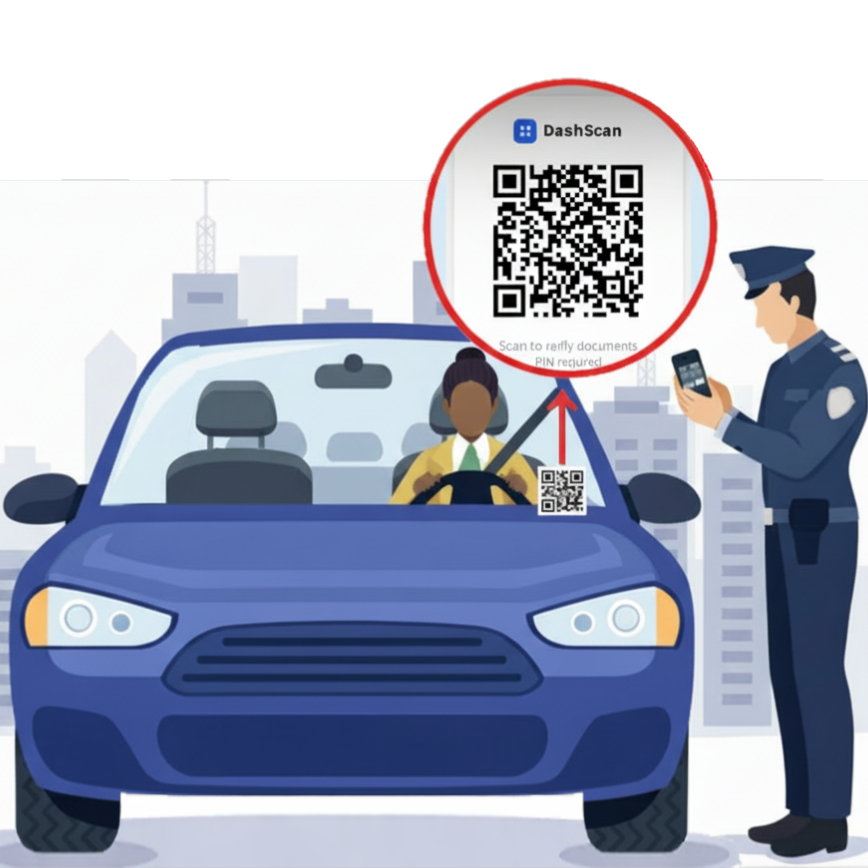
Clear placement, easy scanning, safer stops.
DashScan is designed to be visible from the officer's position, with the QR on the dashboard or windshield. That lets you preserve standard traffic stop procedure while giving officers secure digital access to your documents.
Open your phone's camera app and point it at the decal — no app download required. On iPhone, tap the banner that appears at the top. On Android, tap the link or notification. The decal is on the driver's dashboard or windshield, labeled DASHSCAN.
A 4-digit PIN entry screen opens on your device. Ask the driver to verbally state their PIN — the one they set when they created their account. You type it in. The driver never touches your device.
All three documents appear: driver's license, vehicle registration, and insurance card. Session auto-locks in 5 minutes. Nothing is saved to your device.
Live demo — real interface
This is the exact screen you'd see at a traffic stop. Scan the QR below or tap the button to walk through the full flow: PIN entry → document display → 5-minute auto-lock.
Scan to verify documents
PIN required
Use your phone camera. No app needed. Or tap "Try demo" below if you're already on your phone.
This is what the officer does at an actual stop. The driver says it — the officer types it. Never touch the driver's phone.
License, registration, and insurance — all three appear. Session auto-locks in 5 minutes with no action needed.
Am I required to accept this?
No. DashScan is a supplemental tool. You may always request physical documents. Physical documentation remains legally required in all states. Your discretion applies at all times.
Can the driver control what I see?
No. The driver's interface ends at the QR decal on their dashboard. You enter the PIN — the driver verbally states it but never touches your device. The session is entirely officer-controlled. The driver cannot view, influence, or end your session.
Can these documents be faked?
Documents are sealed server-side at the time of upload. No driver-facing edit screen exists. You see the same files that were locked in at account creation. Cross-reference with your MDT or dispatch as you would with physical documents.
What if the QR doesn't load or there's no signal?
Request physical documents — standard procedure applies. A non-loading QR is treated identically to no decal being present. DashScan does not work offline by design.
What if the documents don't match the driver?
Apply your standard procedure for inconsistent documentation. DashScan access logs (timestamp, IP, token ID) are available to law enforcement on request at leo@dashscan.com.
Is my device data at risk?
Nothing is saved to your device. Documents display in-browser only during the active session. After 5 minutes the session locks and documents are no longer accessible without re-entering the PIN.
Questions or department briefing?
Contact us at leo@dashscan.com. We respond within 24 hours and are available to brief your department or answer specific procedural questions.
DashScan is a supplemental tool only. Physical documents remain legally required in all jurisdictions. Use of this service is subject to our Terms of Service.